Tips & Tricks
Move and Resize Windows Quickly
Go to System Settings -> Apps & Windows -> Window Management -> Window Behavior -> Window Actions.
- Meta + left-drag: move the window
- Meta + right-drag: resize the window
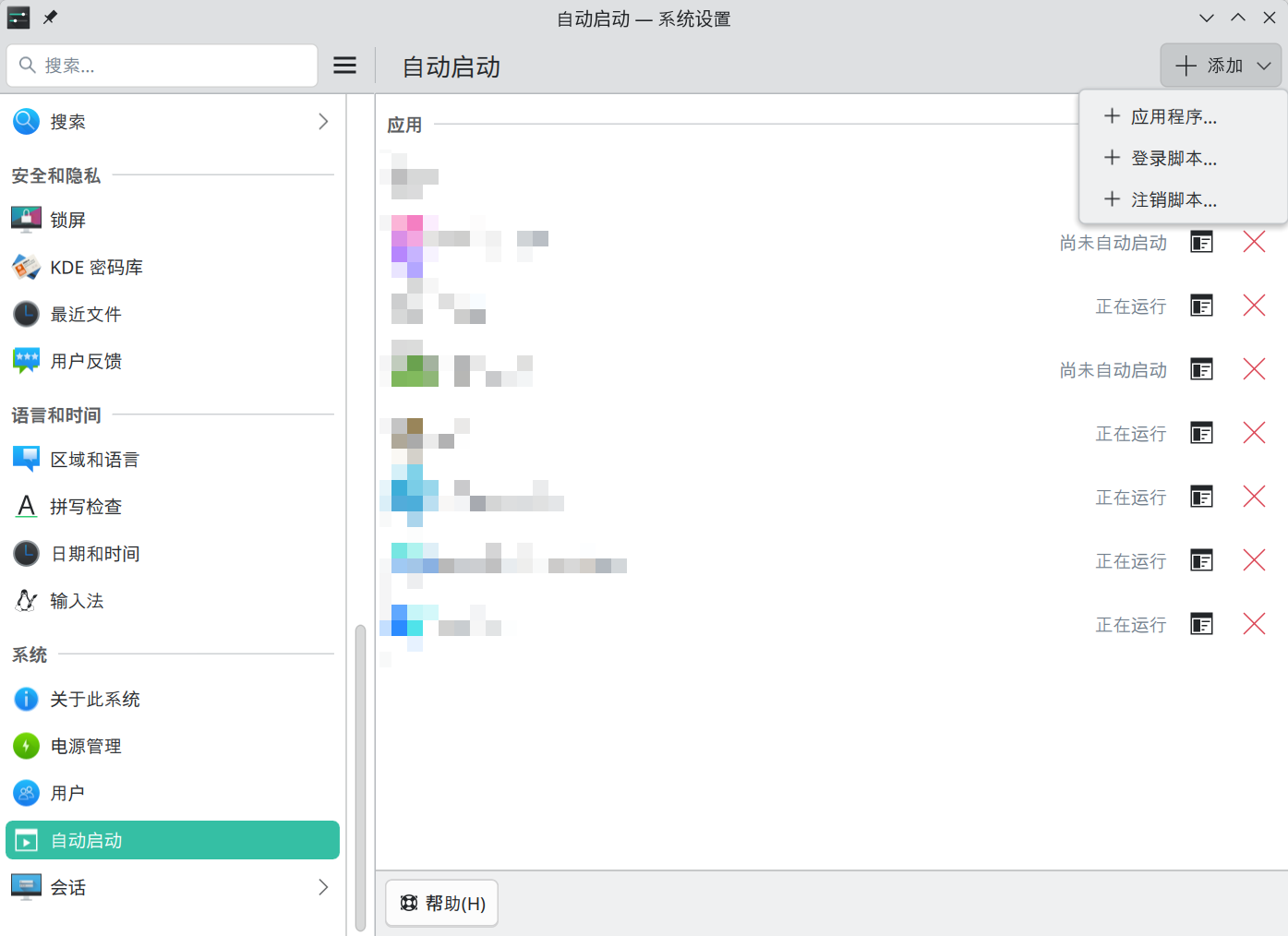
Start Apps Automatically at Login
Add the app under System Settings -> System -> Autostart.
Turn Off Unneeded Desktop Effects
Go to System Settings -> Apps & Windows -> Window Management -> Desktop Effects, and disable the effects you do not need.
I only keep these enabled:
- Dim Inactive Windows: reduce the color saturation of unresponsive or frozen windows
- Highlight Screen Edge: highlight screen edges and corners when the pointer reaches an active trigger area
- Dim Parent Windows: dim the parent window of the currently active dialog
- Desktop Grid: show an overview of virtual desktops and windows, and activate it with a shortcut
Open Dolphin Folders in Tabs Instead of New Windows
In Dolphin, click the icon at the far right of the address bar, then go to Configure -> Configure Dolphin -> Interface -> Folders & Tabs -> Opening Folders, and enable Open new folders in tabs.